

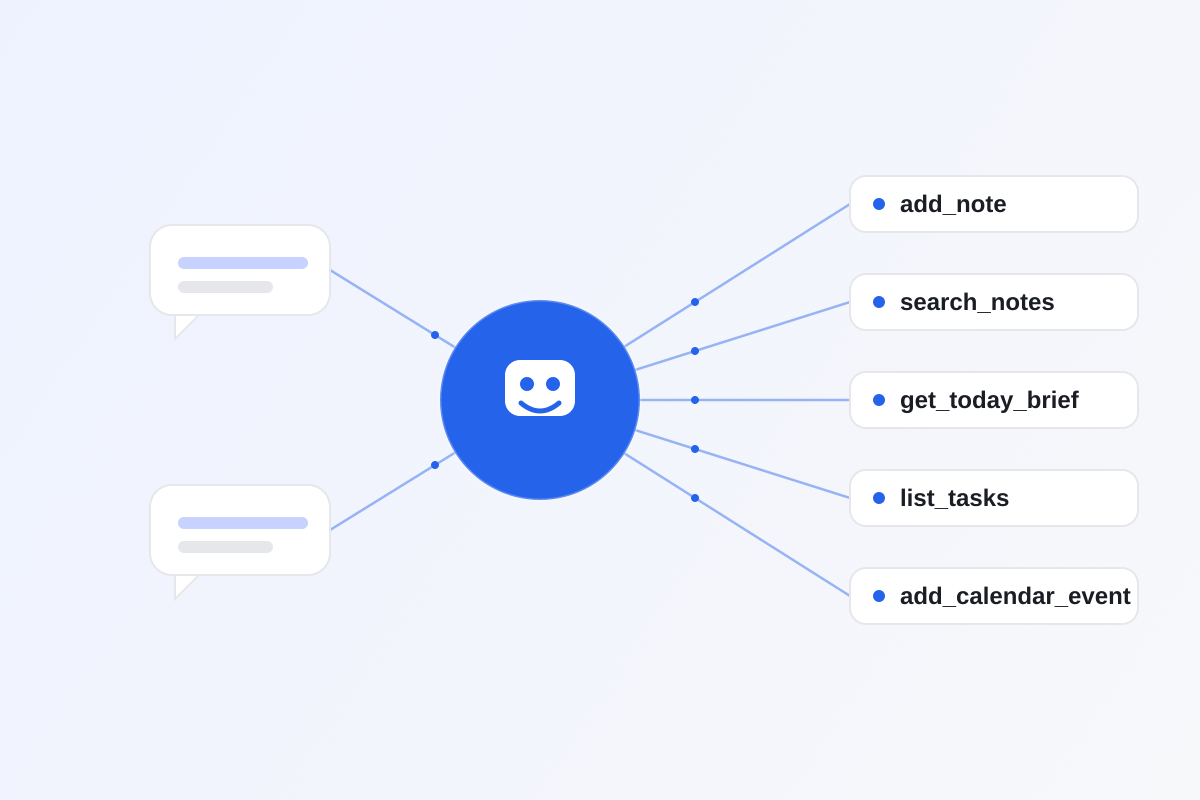
You can now use Hey Asistan from a ChatGPT or Claude conversation as well as from the app itself. The connection uses the Model Context Protocol (MCP). The server address is https://mcp.heyasistan.tr.
What is MCP, and why does it matter?
MCP is an open protocol that gives AI chat apps a standard, secure way to connect to external services. Once you connect Hey Asistan and grant access, your chat assistant can retrieve your notes, add new ones, and list your tasks on your behalf.
What can you do once you are connected?
- add_note — adds a note from your chat and suggests a category
- search_notes — searches your note history by text, category, or date
- get_today_brief — brings together today's calendar, tasks, and note summaries
- list_tasks — lists pending or completed tasks
- add_calendar_event — creates an event in Google Calendar
For example, you can ask Claude, “What was I supposed to do today?” It can look up your current Hey Asistan tasks and answer in the same conversation.
How to connect
ChatGPT: Open Settings → Apps and enable Developer mode or custom MCP connectors. Enter https://mcp.heyasistan.tr as the server address, then sign in with Google or Apple and approve access.
Claude: Open Customize → Connectors → Add custom connector. Enter https://mcp.heyasistan.tr as the server address, choose Connect, and verify your account.
See the Hey Asistan MCP page for current step-by-step setup instructions.
Security
The connection uses OAuth through your own account, so you enter your password only with your sign-in provider. Review the actions your chat assistant proposes before approving them, such as deleting a note or adding an event to your calendar.